logo logo
  • Request Support
  • Awesome Template
  • Purchase Now

Imroz Navigation

  • ImrozGetting Started
  • briefcaseTemplate Structures
    • Symfony Structure
    • CSS Files and Structure
    • Javascript Files
  • ImrozChange Contents
    • Changing Images
    • Changing Brand Logo
    • Changing Colors
  • ImrozSources and Credits
  • Youtube ChannelYoutube Channel
  • ImrozChange Log
  • ImrozSupport

Imroz Documentation

Welcome to Imroz ! Get familiar with the Stripe products and explore their features:

Imroz
Working with Doc

You can any work by following our docs

Imroz
Formatting Content

Our content is more formating for your website

Imroz
Perfect Responsive

Our Template is full Perfect for all device. You can visit our template all device easily.

Imroz
Sass Available

The template has Sass available for css. You can Change css by sass

Imroz
Fast Loading Speed

Imroz is faster loading speed.Imroz create your template so much faster

Imroz
24 Support System

We are provide 24 hours support for all clients.You can purchase without hesitation.

Welcome to Imroz! Get familiar with Stripe products and explore their features:

Imroz is a Creative Agency, Portfolio, and Corporate Multi-Purpose Template built with Symfony and Bootstrap 5. Designed with a component-based architecture, it is modern, developer-friendly, and optimized for fast loading performance.

The template features a wide range of homepage and inner page variations, including: Creative Agency, Creative Agency Landing, Personal Portfolio, Personal Portfolio Landing, Minimal Portfolio, Home Particles, Digital Agency, Business, Home Parallax, Startup, Studio Agency, Freelancer, Minimal Portfolio Parallax, and many more essential detail pages.
How to Install Imroz Symfony Templates

1. Install Server (Recommended PHP version: >8.2):

Make sure to have the Xampp/WampServer/Lampp installed & running in your computer. If you already have installed server on your computer, you can skip this step if your existing PHP version is greater than >8.2.

2. Install Composer (Recommended version: >= 2.2)

Symfony uses Composer to manage its dependencies. If you haven't already installed Composer, you can download and install it following the instructions on the official Composer website.

3. Install Symfony CLI (Optional but Recommended):

Symfony CLI provides additional tools and commands to simplify Symfony development. You can install Symfony CLI by following the instructions on the official Symfony website.

4. Start the Development Server:

symfony server:start

This command will start a local development server. By default, Symfony will listen on http://localhost:8000

5. Editing Imroz Template:

Before all that you have to edit your template and place your own contents by replacing old demo contents, in this case, you will need a code editor such as – VScode, Sublime Text etc.

Template Structures

Articles

  • Symfony Structure
  • CSS Files and Structure
  • JavaScript Files

Symfony Structure

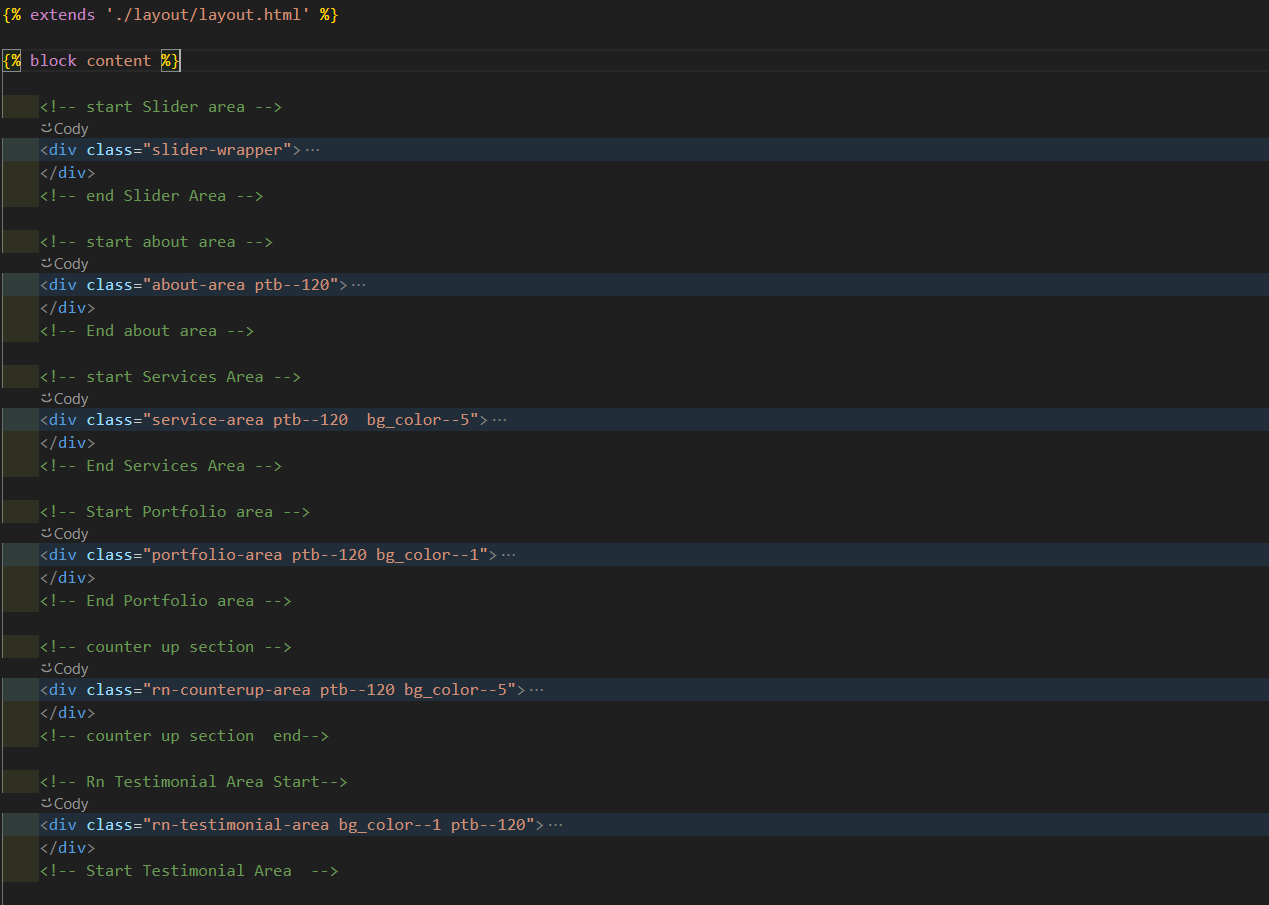
This template is a fixed layout with four columns. The main contents are inside the 'body' tag divided into differt section (i.e. header, banner, services,... footer etc.). The general template structure is the same throughout the template. Here is the general structure.

Images

CSS Files and Structure

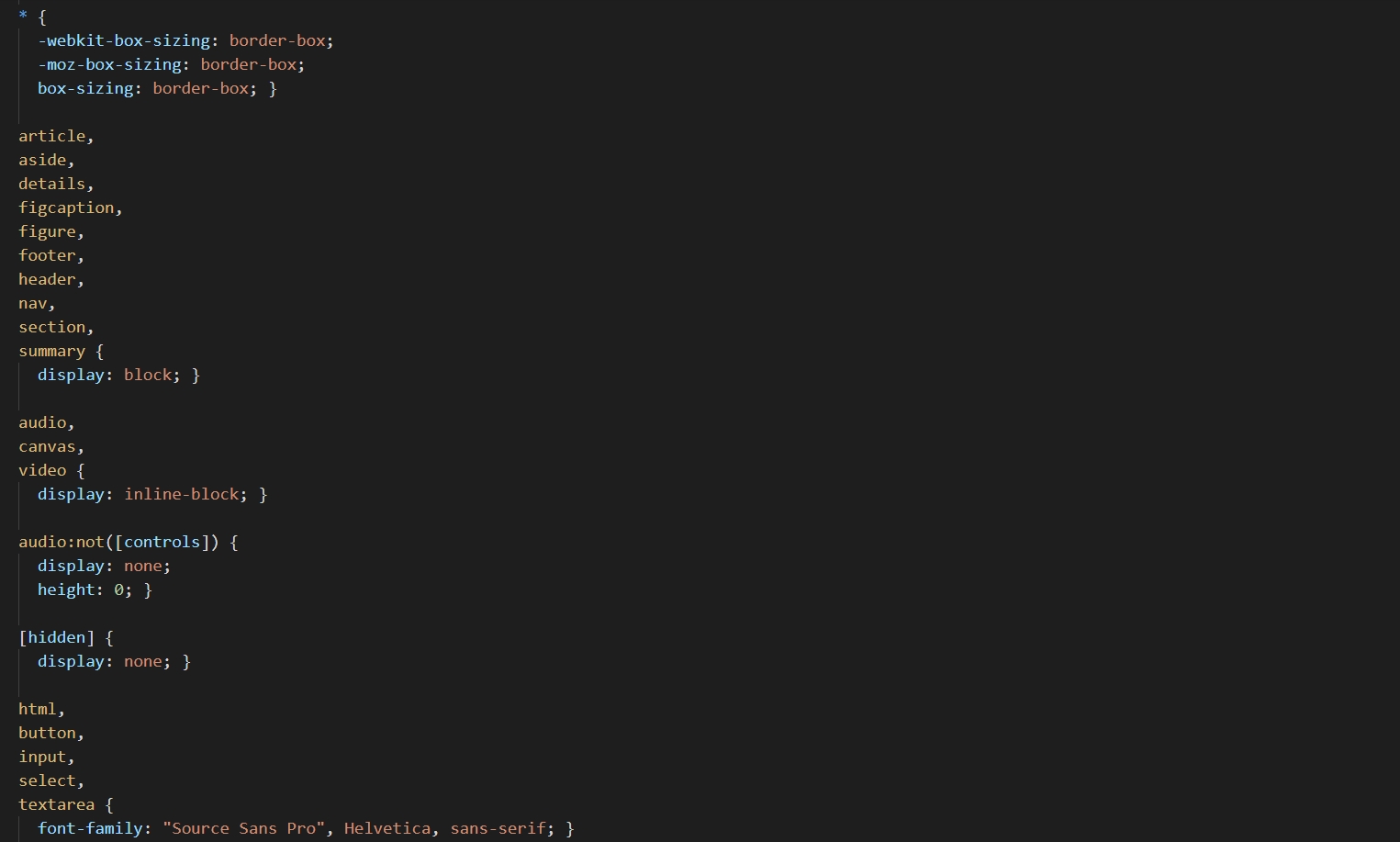
We are using one customed CSS files (style.css) and several vendor css files. CSS file structure is as follows:

HTML Images

JavaScript Files

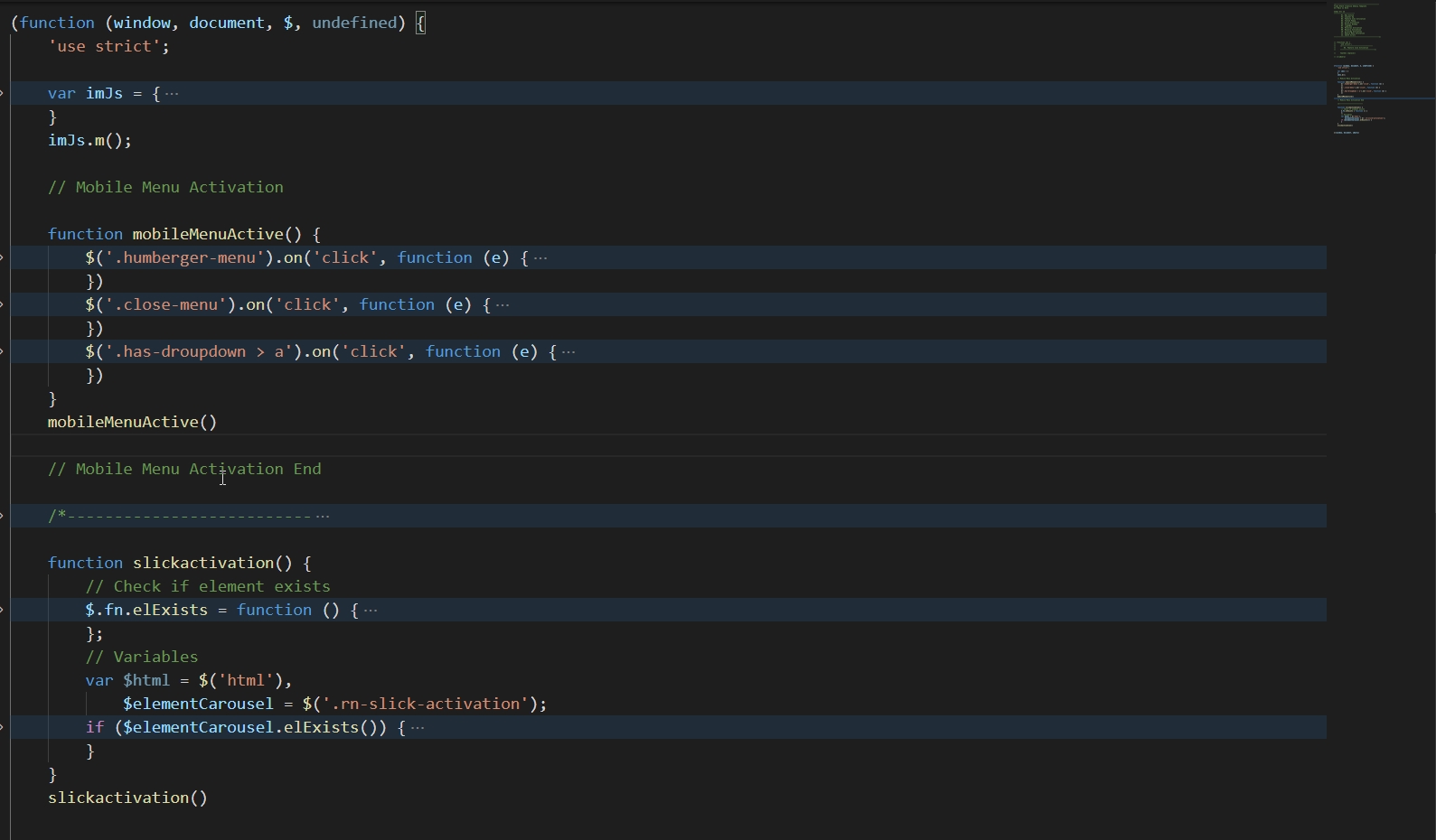
There is a custom.js file named main.js and are several vendor.js files as plugins. We are using jQuery(a javascript library) instead of vanilla javascript. Our file structure is a follows:

HTML Images

Change Contents

  • Changing Images
  • Changing Brand Logo

Changing Images

To change any images of the website

  1. Carefully collect the source name of the image (i.e. banner-img.jpg)
  2. Open the file called images.
  3. Find the particular image file.
  4. Replace the file with your image.
  5. Make sure that the file name does not change.The file name should be the same.

Example: Suppose you want to change the following image file:

HTML Images

You have to do the following to change this image with your own image:

  1. Open the file called images.
  2. Find the particular image file called banner-img.jpg
  3. Replace the file with your image
  4. Make sure that the file name does not change.
Note

Images seen in the live preview are only set for preview purposes. They are not included in the download files.

Changing Brand Logo

To change any images of the website
  1. Carefully collect the source name of the image (i.e. banner-img.jpg)
  2. Open the file called images.
  3. Find the particular image file.
  4. Replace the file with your image.
  5. Make sure that the file name does not change.The file name should be the same.

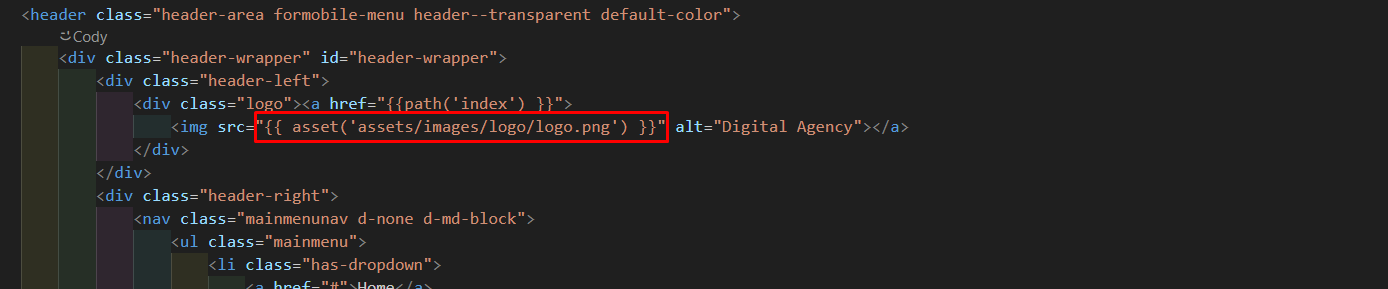
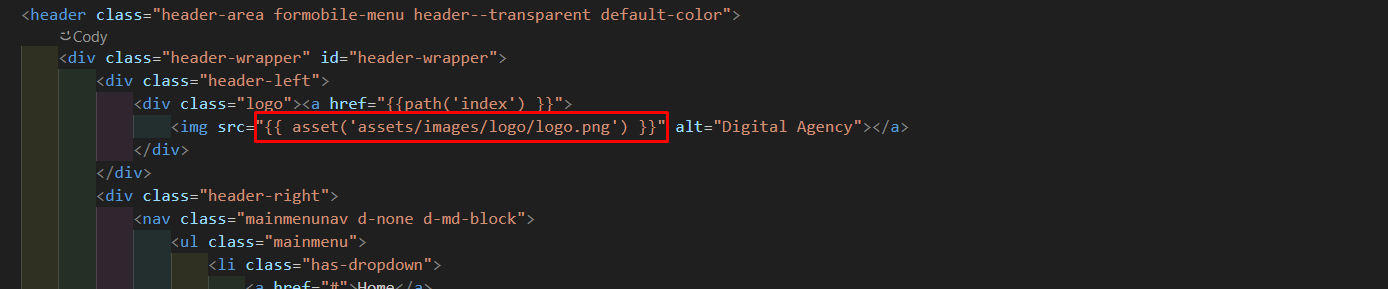
Example: Suppose you want to change the following image file for change your logo:

HTML Images

Changing Colors

We have used scss for this project to write css. If you are familiar with scss you should customize only the .scss files. Please make sure you compile the style.scss file after you have made changes in any of the .scss files.

  • Changing default template colors

Changing default template colors

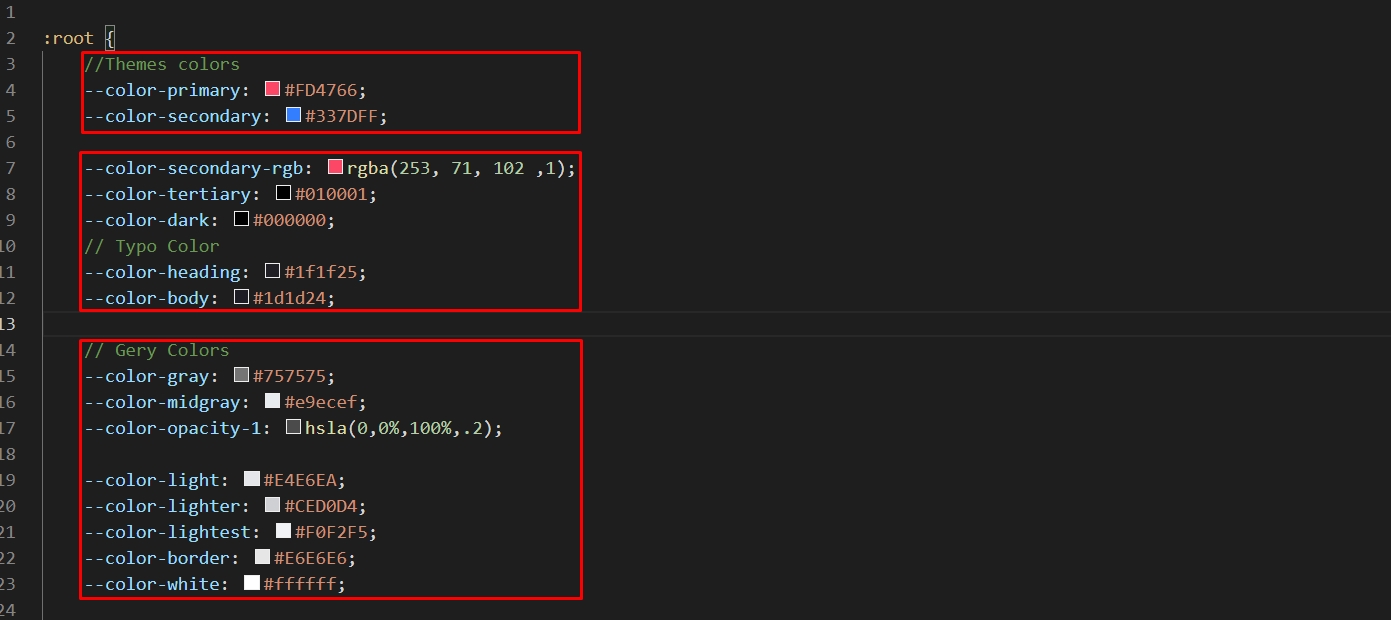
  1. Open the variable.scss file from assets > scss > defaults folder with a text-editor.
  2. Change the right-side values of the variables to change any default colors of your site.
  3. Save your file.

Have a look at the following image for a visual description:

Images

Sources and Credits

We've used the following fonts, free icons and plugins as listed:

  • Google Fonts
  • Feathericons Icon fonts
  • Slick Slider
  • Youtube Player
  • Animate.css
  • jQuery
  • Waypoints Js
  • Isotop
  • Counter Up

Support

Thank you for purchasing my template.
If you have any questions that are beyond the scope of this help file, please feel free to open a new ticket at our Support forum

Change Log

Our team never stops Improving, bug fixes, and improvements. See What's New. We recommend you to read the changelog for every update.

13 January 2026

Initial Release.

1.0.0

New Initial Release

Still stuck? How can we help?

If you like our product. Please Rate Us

If you need the template customization or custom development services please contact us.

Email Us

Imroz

© 2026 All Rights Reserved by PixcelsThemes